驗證 10G+ 資料集 JOIN 小表的執行結果
執行環境
生成有 data-skew 的待測資料
1
2
3
4
5
6
7
8
9
10
11
12
13
14
15
16
17
18
19
20
21
22
23
24
25
26
| ...
TOTAL_ROWS = 250_000_000
SKEW_RATIO = 0.8
df_skewed = df.withColumn(
"material",
F.when(F.col("id") < (TOTAL_ROWS * SKEW_RATIO), "M_0001").otherwise(
F.concat(F.lit("M_"), F.format_string("%04d", (F.rand() * 10000).cast("int")))
),
)
df_final = (
df_skewed.withColumn("line", F.concat(F.lit("Line-"), (F.rand() * 10).cast("int")))
.withColumn("machine", F.concat(F.lit("MC-"), (F.rand() * 50).cast("int")))
.withColumn("module", F.concat(F.lit("MOD-"), (F.rand() * 5).cast("int")))
.withColumn("slot", (F.rand() * 20).cast("int").cast("string"))
.withColumn("product", F.concat(F.lit("PROD-"), (F.rand() * 100).cast("int")))
.withColumn(
"status",
F.expr(
"case when rand() > 0.99 then 'ERROR' when rand() > 0.01 then 'OK' else 'UNKNOWN' end"
),
)
.withColumn("count", (F.rand() * 100).cast("int"))
)
|
驗證結果
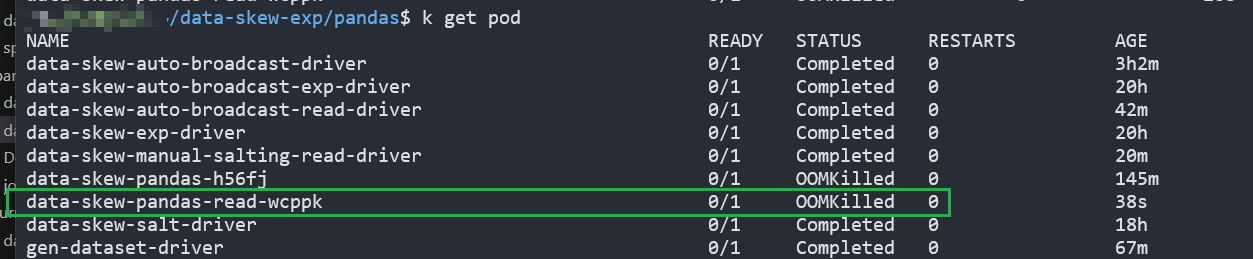
方法 1:pandas
與 spark 設定同樣的 memory 限制條件,出現 OOMKilled
方法 2:spark
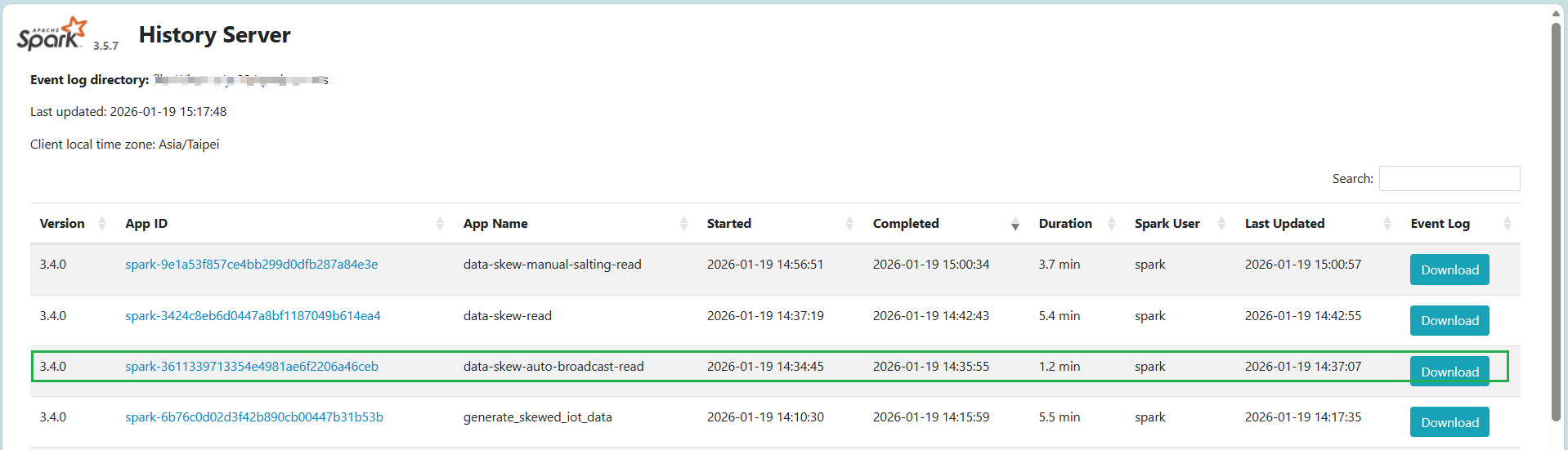
spark 預設的 autobroadcast 表現最好
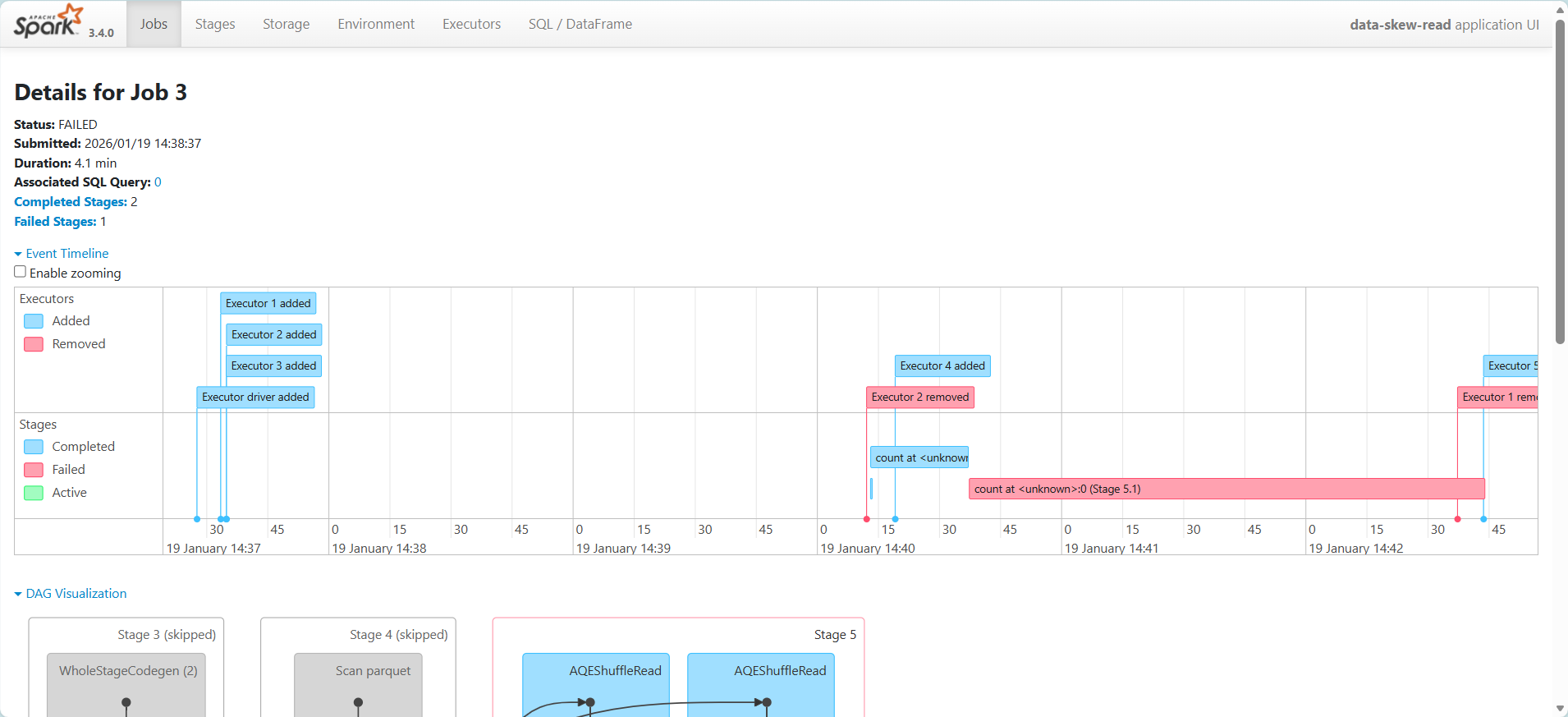
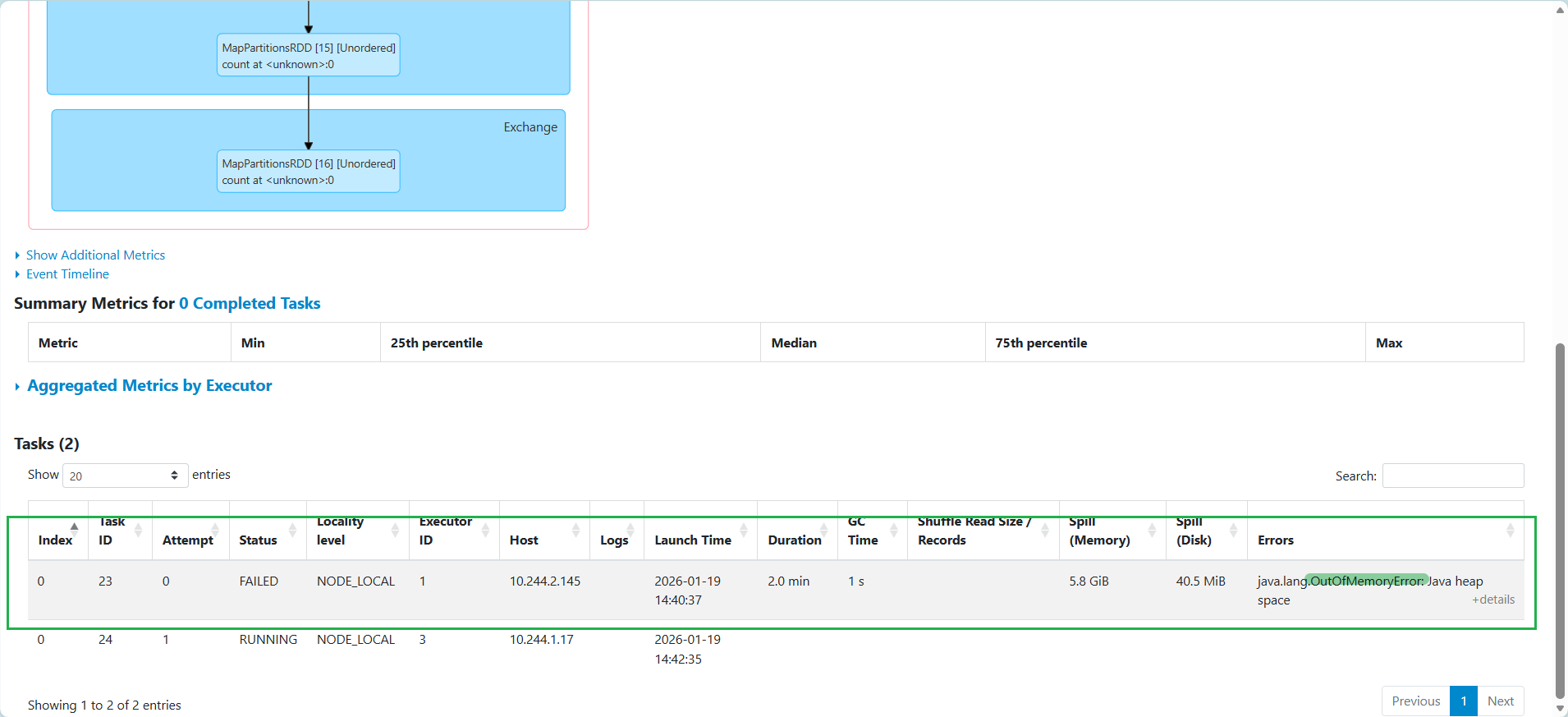
方法 3:spark 關掉 autobroadcast
memory 不足,無法完成任務
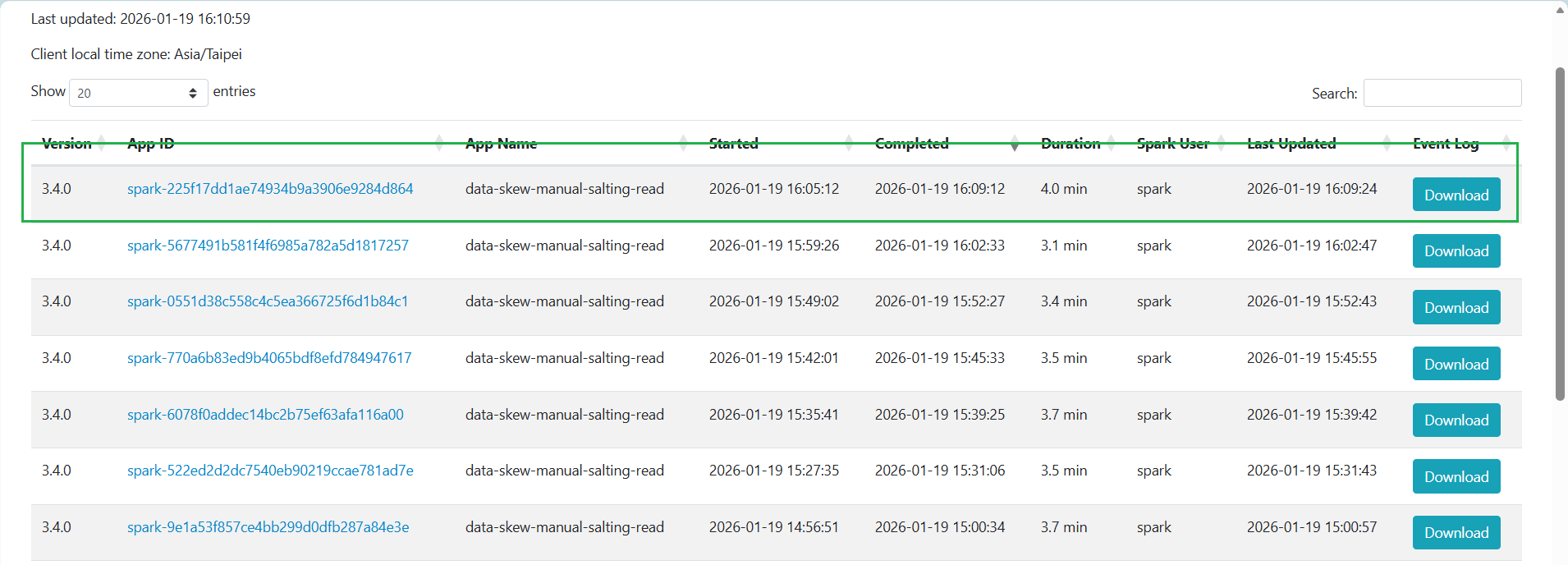
方法 4:手動 salting
加入 salting 可以讓數據在有限 memory 中「排隊」分批處理,完成任務
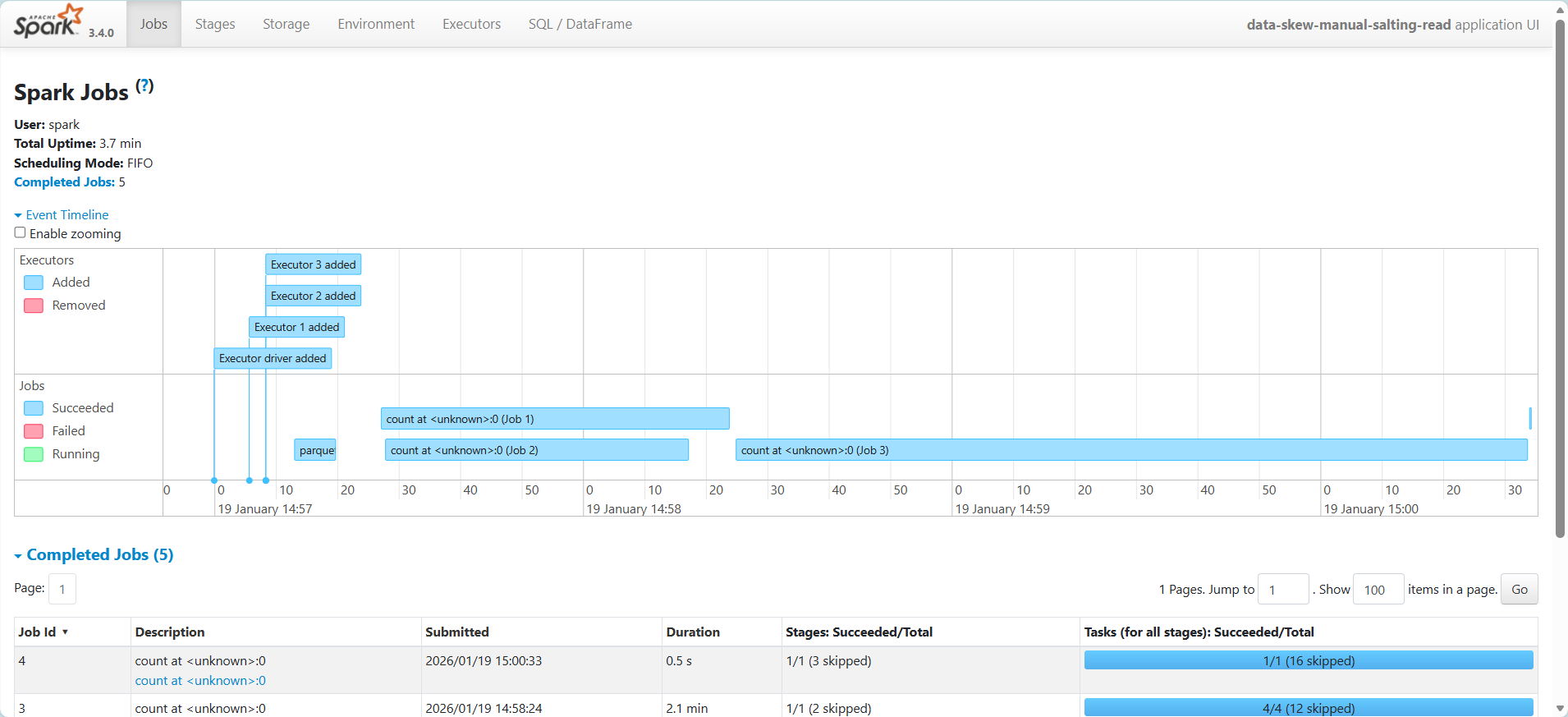
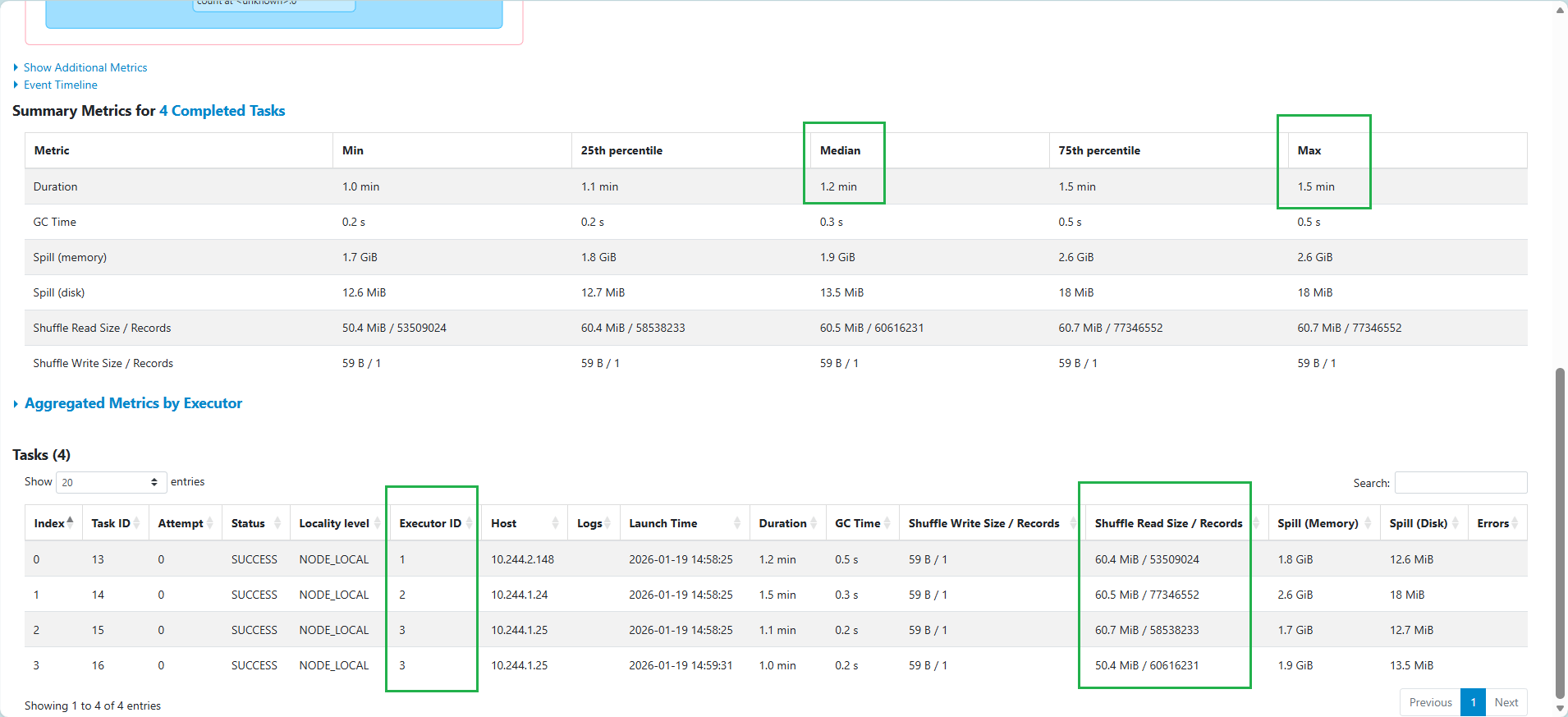
任務被平均分配到 executor 執行,作業時間平均,但是出現 Memory & Disk Spill
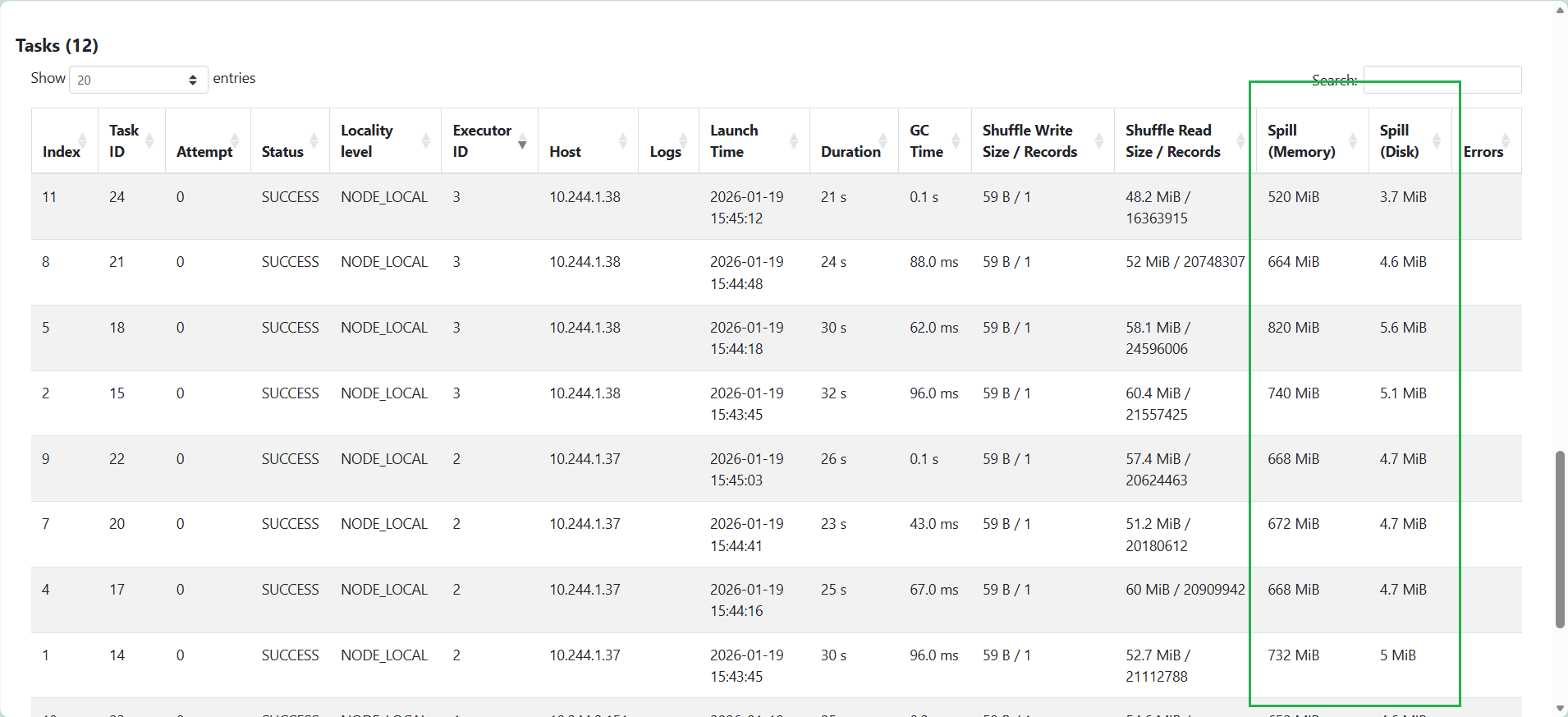
如果拆成更多 partition,可以降低 Memory & Disk Spill,比如切成 400
增加 memory 到 5G,沒有 Memory & Disk Spill
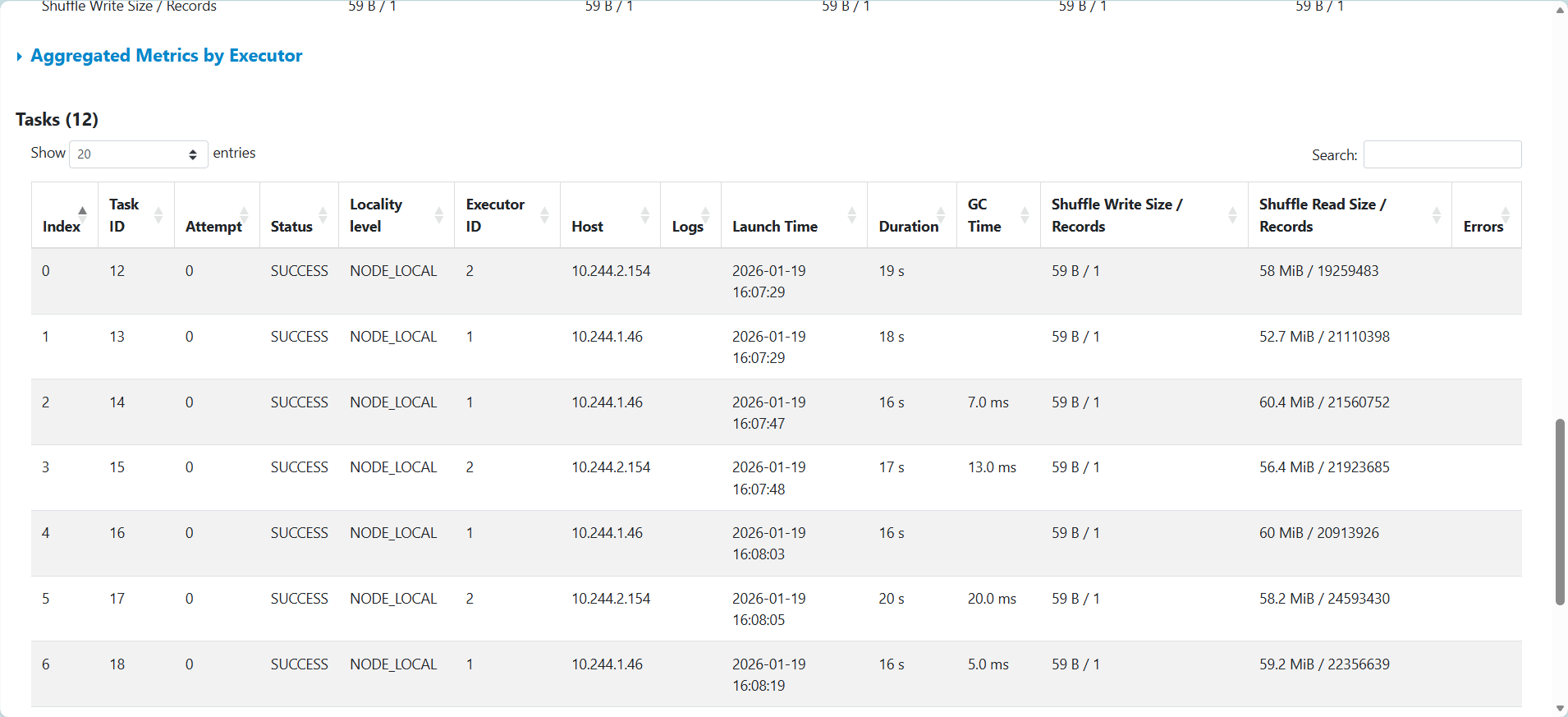
但實際作業時間變長
程式碼 repo:yuchun33/data-skew-exp
DONE.